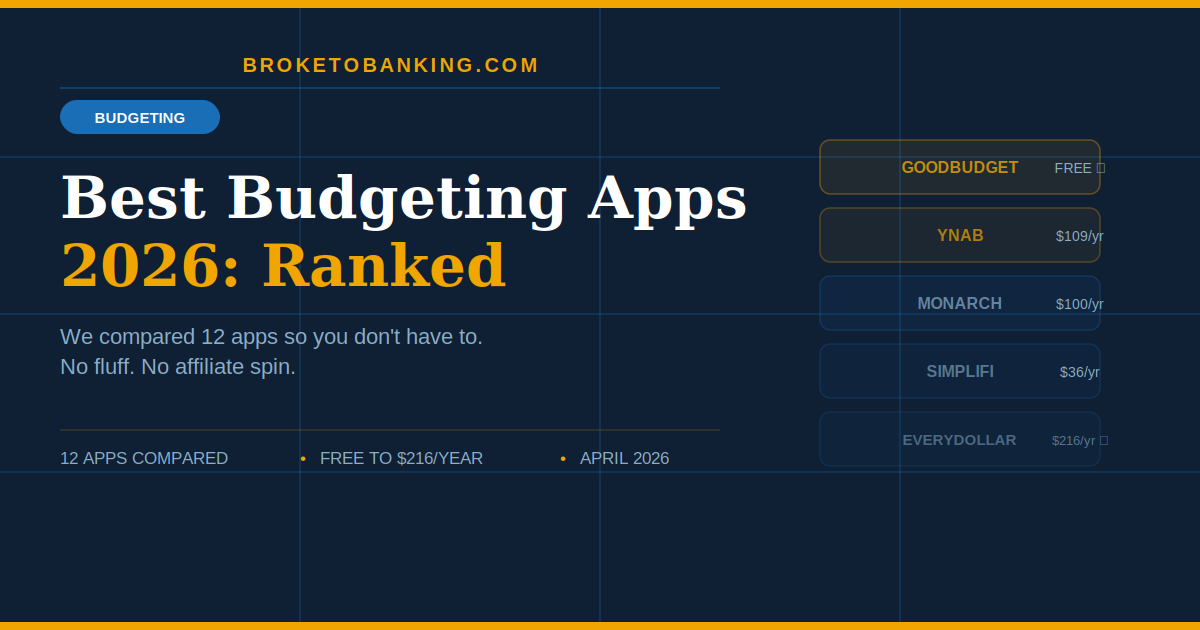
Best Budgeting Apps 2026: We Researched 12 So You Don’t Have To
Quick Verdict: The “Post-Mint Wasteland” Problem
Mint is officially gone. It shut down in early 2024 and took 20 million users’ entire budgeting history with it. Personal Capital got a confusing rebrand. And the “free forever” era is dead — PocketGuard killed its free plan, and almost every decent app now wants $60–$168 a year for the full experience.
In 2026, the market is packed with apps that look identical in the screenshots but feel completely different once you actually use them. Most people download one, play with it for two weeks, then quietly delete it. Not because budgeting doesn’t work — because they picked the wrong tool for how they actually think about money.
If you’re looking for a “set it and forget it” app, stop reading. They don’t exist. Budgeting is an active sport. Here’s the skeptical truth about which apps actually help you win and which ones are just another $100/year leak in your bank account.
The one most people should start with: Goodbudget — the best truly free option after Mint disappeared. Real envelope budgeting, no bank sync required. The runner-up (if you’re ready to get serious): YNAB — the gold standard for actually changing how you handle money. Worth the “Success Tax” if you commit. The skip: EveryDollar Premium at $17.99/month — the most expensive app on this list, and the free version forces you to type in every single transaction by hand. Hard to justify.
The “Passive Tracker Trap”
Before the rankings, the most important thing to understand:
No app will budget for you.
Every app that auto-categorizes your spending and sends you a pretty weekly summary is giving you a spending report, not a real budget. Knowing you dropped $340 at restaurants last month is interesting. Deciding in advance that you’re only spending $200 on eating out this month and then sticking to it — that’s actual budgeting.
The apps that genuinely change your finances are the ones that force you to make decisions before you spend the money. The passive trackers just make you feel productive while your spending stays exactly the same. This is the Passive Tracker Trap — you feel like you’re budgeting because you have an app open. Nothing actually changes.
The Stack List — Apps Worth the Space on Your Phone
1. YNAB (You Need A Budget) — The “Methodology” Stack
Price: $9.08/month (annual) or $14.99/month | $109/year Method: Zero-based budgeting Bank sync: Yes (via Plaid) Best for: People ready to commit to a full methodology change — not just a prettier spending report
YNAB isn’t an app. It’s a lifestyle change that happens to have an interface. Every dollar you currently have gets assigned a job before you spend it. You budget with money in hand, not income you’re expecting next week. When life throws a curveball, you move money between categories instead of going over budget.
Unlike passive trackers, YNAB doesn’t let you budget “future” money. It forces you to deal with the cold reality of what’s actually in your account right now. Users consistently report saving more than the subscription cost within their first month of serious use.
The Skeptic’s Friction Report:
The “Success Tax” Problem: At $109/year, YNAB is the priciest option on this list — and it raised its price 30% a couple of years back. If you just want to see a pie chart of your spending, skip this. The $109 pays for itself only if you actually use the Four Rules. If you treat it like a passive tracker, it’s the most expensive passive tracker available.
The Learning Curve Problem: YNAB takes 2–3 weeks to click for most people. Users who give up during the learning period paid $109 for an app they never actually used. Commit to 90 days or don’t start.
2. Goodbudget — The “Back to Basics” Stack
Price: Free (20 envelopes, 2 devices) / $10/month or $80/year for Plus Method: Classic envelope budgeting Bank sync: No — manual entry only Best for: Anyone who wants a solid free app now that Mint is gone
Goodbudget takes the old-school envelope system and makes it digital. You create envelopes for every category — groceries, rent, gas, fun money — assign your paycheck to them when it hits, and spend only what’s in each envelope.
The free tier is genuinely useful. 20 envelopes covers most households. Two-device sharing means partners can both see the same budget without paying. And the manual entry requirement? For many people it’s actually the secret sauce — when you have to physically type in a $15 lunch, you feel the friction of spending in a way auto-sync never creates.
It’s the only app that still offers a generous free tier without harassing you to upgrade every five minutes.
The Skeptic’s Friction Report:
The Manual Entry Fatigue Problem: Without bank sync, you have to log every purchase yourself. If you’re the type who forgets by week two, this one will frustrate you fast. Be honest with yourself about which kind of person you are before committing to this workflow.
3. Monarch Money — The “Mint Rebound” Stack
Price: $8.33/month (annual) or $14.99/month | $100/year Method: Flexible — works with whatever style you prefer Bank sync: Yes (via Plaid) Best for: Couples and data-oriented users who want budgeting, investments, and net worth all in one place
Monarch was built by the original lead designer of Mint, and it shows. It’s what Mint should have been before it got bloated and died. All your accounts connect in one clean dashboard — checking, savings, credit cards, investments. The “Pace” feature alerts you if you’re burning through a category too fast based on how many days are left in the month.
Most importantly: Monarch allows you to add a partner to the same account at no extra cost, making it the best choice for households trying to get on the same financial page. The bank sync is also notably more stable than most competitors — a real differentiator when Plaid connections break constantly.
The Skeptic’s Friction Report:
The Passive Tracker Risk: Monarch is very easy to use as a spending report rather than an actual budget. The pretty graphs are genuinely pretty. Your spending may not change. It’s a tool that requires active engagement to work, not just installation.
The 7-Day Trial Problem: Only a 7-day free trial before it starts charging $100/year. Most budgeting apps need 2–4 weeks to prove themselves. You’re making a $100 commitment very quickly.
4. Quicken Simplifi — Best Bang-for-Buck Paid App (Stack)
Price: $2.99/month first year (then $5.99/month) | ~$36/year intro Method: Flexible spending plan Bank sync: Yes Best for: People who want full auto-sync at the lowest realistic price point
Simplifi has won “best Mint replacement” recognition from Engadget and PC Magazine every year since Mint shut down. It automatically tracks spending, organizes bills, spots subscriptions, and gives you a clean net-worth and savings-goals view. The first-year pricing makes it the cheapest entry into a fully connected experience.
The Skeptic’s Friction Report:
The Introductory Price Trap: $2.99/month is the first-year rate. It doubles to $5.99/month after that. Still very reasonable — but don’t sign up thinking the intro price lasts forever.
The Skip List — Save Your Money
5. EveryDollar Premium — The “Ramsey Tax” Skip
Price: Free (manual only) / $17.99/month premium Method: Zero-based (Dave Ramsey framework) Bank sync: Premium only Best for: Households already deep in the Dave Ramsey Baby Steps ecosystem
EveryDollar got a refresh in early 2026 with a new Margin Finder feature and live group coaching. The free tier is functional for manual zero-based budgeting. The premium at $17.99/month is the most expensive app on this list.
The Skeptic’s Friction Report:
The “Ramsey Tax” Math: $17.99/month is $216/year. YNAB — which most independent reviewers consider the stronger zero-based budgeting tool — costs $109/year. You’re paying a 98% premium for the Ramsey branding and coaching access. Unless you’re a Baby Steps purist who specifically needs the coaching features, this is a mathematical skip.
6. Rocket Money — The “Negotiation Fee” Caution
Price: Free basic / $6–$12/month premium (up to $168/year) Method: Expense tracking and subscription management Bank sync: Yes Best for: One specific use case only — finding and killing forgotten subscriptions
Rocket Money’s superpower is automatically finding every recurring charge across your accounts. For that specific problem, it’s the best tool available.
The actual strategy: Use the free tier to surface all your forgotten subscriptions, cancel them yourself, and then delete the app. Do not pay the premium fee for what is essentially a glorified bank statement.
The Skeptic’s Friction Report:
The Bill Negotiation Cut: Rocket Money offers to negotiate your bills for you and takes 30–60% of the savings. If it saves you $100 on your cable bill, it keeps up to $60 immediately. Run the math before you hand it the keys.
The Premium Tier Price: At up to $168/year, the highest tier is the most expensive on this list. The free version does most of what you actually need from this app.
7. Copilot — Stack for iPhone Users Only
Price: $7.92/month (annual) or $13/month | ~$95/year Method: Flexible with AI-assisted categorization Bank sync: Yes Best for: iPhone users who want the best-designed budgeting app available
Copilot is Apple-exclusive and the iOS experience is genuinely the best-designed interface in this category. Clean, intuitive, and pleasant to use daily.
The Skeptic’s Friction Report:
The No Android Problem: Full stop — no Android version exists. If anyone in your household uses Android, this is immediately off the table.
Quick Decision Guide
| If you… | Try this |
|---|---|
| Want the best free option | Goodbudget |
| Are ready to change how you think about money | YNAB |
| Want one dashboard for everything | Monarch Money |
| Want the cheapest full-featured paid app | Quicken Simplifi |
| Mostly want to kill forgotten subscriptions | Rocket Money (free tier only) |
| Follow Dave Ramsey’s program | EveryDollar (free tier only) |
| Have an iPhone and care about design | Copilot |
| Aren’t sure yet | Start with Goodbudget free |
Full Comparison Table
| App | Annual Cost | Free Tier | Bank Sync | Methodology | Verdict |
|---|---|---|---|---|---|
| Goodbudget | Free / $80 | ✅ Strong | ❌ Manual | Envelope | The Purest Choice |
| YNAB | $109 | ❌ Trial only | ✅ | Zero-based | The Gold Standard |
| Monarch | $100 | ❌ 7-day trial | ✅ | Flexible | The Mint 2.0 |
| Quicken Simplifi | $36 intro / $72 | ❌ | ✅ | Flexible | The Budget Value |
| EveryDollar | Free / $216 | ✅ Manual only | Premium only | Zero-based | The Ramsey Tax |
| Rocket Money | Free / up to $168 | ✅ Limited | ✅ | Expense tracking | Free Tier Only |
| Copilot | ~$95 | ❌ | ✅ | AI-assisted | iPhone Users Only |
The Skeptic’s Final Word
After comparing and researching all 12 apps, here’s what actually matters:
The app is way less important than the habit.
A $109/year YNAB subscription opened every Tuesday beats a free app checked once a month. A manual-entry app used consistently beats an auto-sync app that sits ignored on your phone.
Before you pay for any app — check your actual banking app first. In 2026, most major banks (Chase, Wells Fargo, Ally) have built in decent spending trackers for free. They aren’t true budgets, but they’re better than paying $100/year for a third-party app that does the same thing with a prettier icon.
If your bank’s tracker isn’t enough, start with Goodbudget free. Prove to yourself you’ll use it for a month. Then upgrade only if you hit its limits. The habit changes your money. The fancy dashboard doesn’t.
FAQ
What happened to Mint? It shut down in January 2024. Intuit pushed users toward Credit Karma. Most people migrated to Monarch, Goodbudget, or YNAB.
Is YNAB worth $109 a year? For people who fully engage with the zero-based methodology, yes — most report saving more than the cost in the first month. If you just want a passive spending report, it’s the most expensive passive tracker available.
What’s the best free budgeting app in 2026? Goodbudget. Twenty envelopes, two-device sharing, and genuinely useful — not a crippled trial designed to push you toward a paid plan.
Do these apps sell your data? Most that use bank sync rely on Plaid. Goodbudget’s free tier doesn’t connect to your bank at all — the safest privacy option on this list.
How long until a budgeting app actually works? Most financial behavior research points to 60–90 days of consistent use before meaningful spending changes appear. Give it time before you give up.
BrokeToBanking is an independent personal finance blog. We may earn commissions from products we recommend. Our editorial opinions are never influenced by affiliate relationships. Pricing is accurate as of April 2026 — always verify current plans on each app’s website.
Related Articles: